NX Tutorials and NX Blogs

Stay Up to Date on Our Siemens Software NX Tutorials & Blogs

If you have a specific NX tutorial you would like to see that Swoosh has not yet published, please get in touch with us and inquire today!

  • All
  • NX CAM
  • Solid Edge
  • Teamcenter
  • NX CAD
  • NX CAD
  • Femap
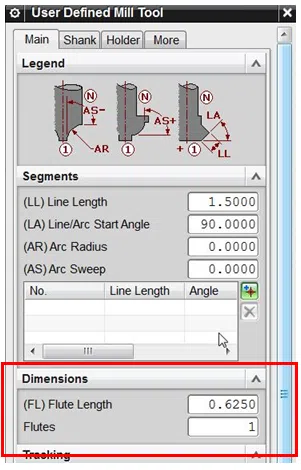
Simple Method for Using Existing CAM Operations: Why? You may have created an NC program that is made of the same material, similar in shape, to be ran on the same MC. When this is not a template, you can still get the benefit of the process used. This will greatly reduce your programming time, [...]

February 20, 2015

0

Solid Edge View and Markup and Solid Edge Free Viewer When you install Solid Edge, you might not notice the View and Markup application. This is also known as Insight Connect. In this blog post, we will look at some of the functionality of this application and how you can share information throughout your organization [...]

December 19, 2014

0

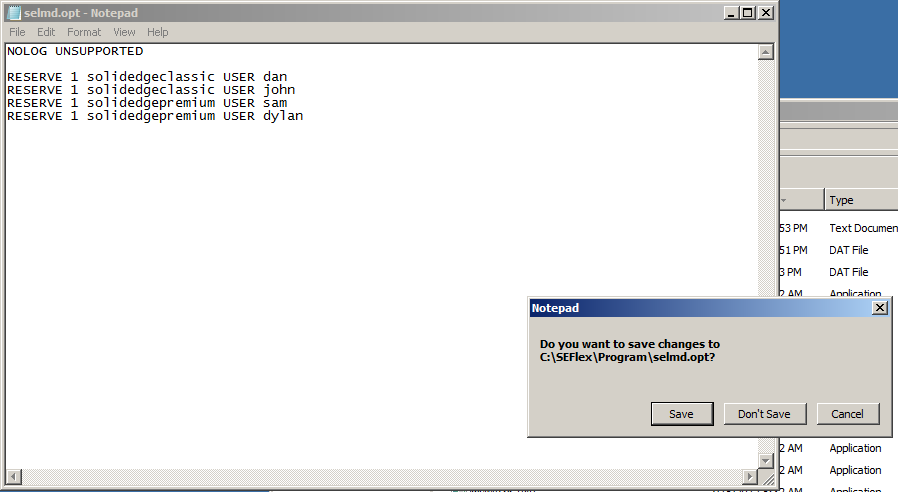
Solid Edge Floating License Allocation If your organization has different versions of Solid Edge and utilizes Floating Licenses, you can control to which users get those licenses. For example, your organization could have 2 versions of Solid Edge Premium and 2 versions of Solid Edge Classic. Normally, the licenses are allocated on a first come, [...]

November 14, 2014

0

Halloween Fun with Solid Edge ST7 In celebration of Halloween, I thought a Jack-O-Lantern would be fun to replicate in Solid Edge ST7 and to compliment the design, a cool render from Keyshot. The first phase of my pumpkin creation resided around the creation of easily synchronous sketched curves to dictate the size of the [...]

October 14, 2014

0

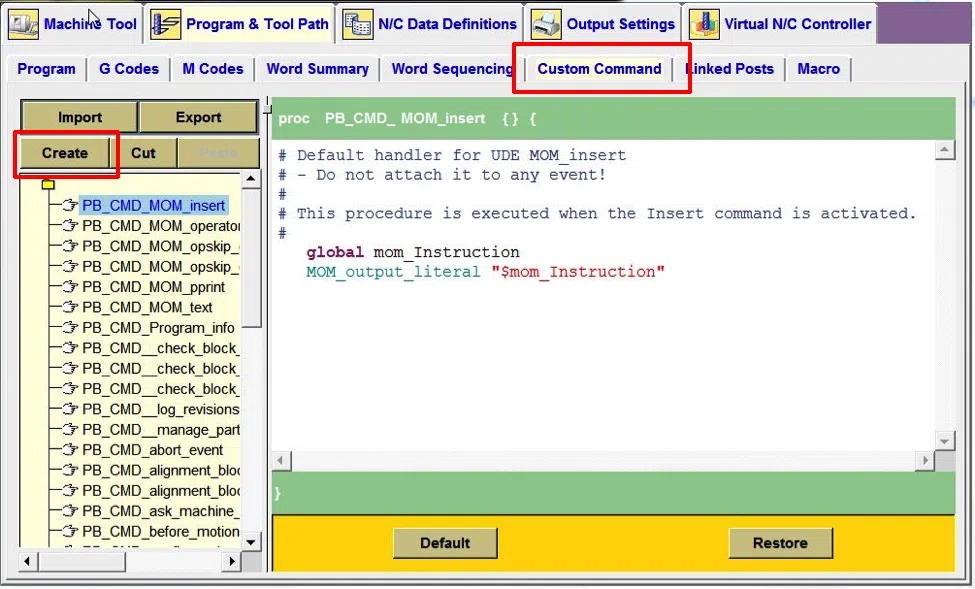
Add a Custom Command for Header Lines for Post Processing in NX 9 CAM Follow these simple steps to create a Custom Command in NX CAM to add to a post processor for header lines to be output from a post processor: Start Postbuilder. Select the custom command tab. Select the Create option. Right mouse […]

October 7, 2014

1

Using Existing NX CAM Files as Templates Templates in NX CAM are utilized to save programming time and the possibility of errors. When utilizing templates, the programmed tool, speeds, feeds, non-cutting moves, cutting parameters, and cut patterns should be consistent. Templates can also be utilized to consistently process your machined parts in very similar sequences. […]

August 28, 2014

0

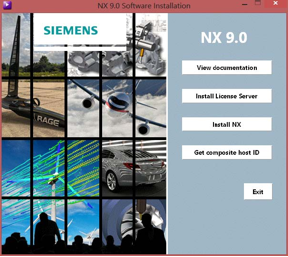
How to Acquire an NX 9 License File from Siemens PLM Installing NX is only half of the two main tasks required before NX can run. The second task is to install the license server, which requires a valid NX license file. The following post provides a detailed explanation of acquiring a license file directly […]

August 20, 2014

1

Creating a Reuse Library in NX 8.5 NX Reuse Libraries aid in assembly with jigs and fixtures by simply dragging the files into the manufacturing setup files. Sample Reuse Library files can be downloaded from Siemens PLM; however, a webkey is necessary. Follow these steps to setup a reuse library and create a reuse folder […]

July 29, 2014

0

Importing Sheet Metal Solid in Solid Edge ST6 Solid Edge offers very powerful sheet metal tools. For this blog post, I imported a STEP file that I need to transform to sheet metal and generate a flat view. Upon opening the file, I noticed it was drawn as a solid part and was designed without […]

July 22, 2014

0

Solid Edge Assembly Based Features   Solid Edge has the ability to work just like you! For example, there are certain situations where there are machining processes that take place after parts are assembled, I will refer to these as post process features. One reason for the post processes is to make sure everything bolts […]

July 15, 2014

0

Have a Draft and missing your original model? No problem with Solid Edge! In Solid Edge, the draft file does not need the original model it was based off in order to open and display its information and views. So if you ever find yourself in the position where you have lost your model and […]

June 17, 2014

0

Adding Rule Based Dimension and Sensors in Solid Edge For those designers who know exactly what the final product is going to be, these couple of Solid Edge features may not help, but those other 99% of us may need some help building intelligence into our design to facilitate future changes. The first thing to […]

June 5, 2014

0

How to Use Variable Tables in Solid Edge Solid Edge has the capability of using a Variable Table to help define and edit functional relationships between variables and dimensions of a design in a familiar spreadsheet format.  This tool can be leveraged to automate your design process. This article gives a basic overview of how […]

May 28, 2014

0

NX How To: Set up the Reuse Library for Custom Symbols Follow these steps to set up the Reuse Library in NX 9 for custom symbols: Go to the customer defaults dialog box. In the Gateway portion, click Reuse Library, and map the location to your symbol files. NOTE: The files that contain your symbols […]

May 20, 2014

0