Bringing Back Point to Point in NX CAM Ever wish that the old Point to Point drilling function was still available? If you run NX 11 or NX 12 CAM, you now make holes with “hole_making” Hole Making Pre-V11 Drill As great as the new hole_making operations are, there are still some times when you [...]
Stay Up to Date on Our Siemens Software NX Tutorials & Blogs
If you have a specific NX tutorial you would like to see that Swoosh has not yet published, please get in touch with us and inquire today!
- All
- NX CAM
- Solid Edge
- Teamcenter
- NX CAD
- NX CAD
- Femap
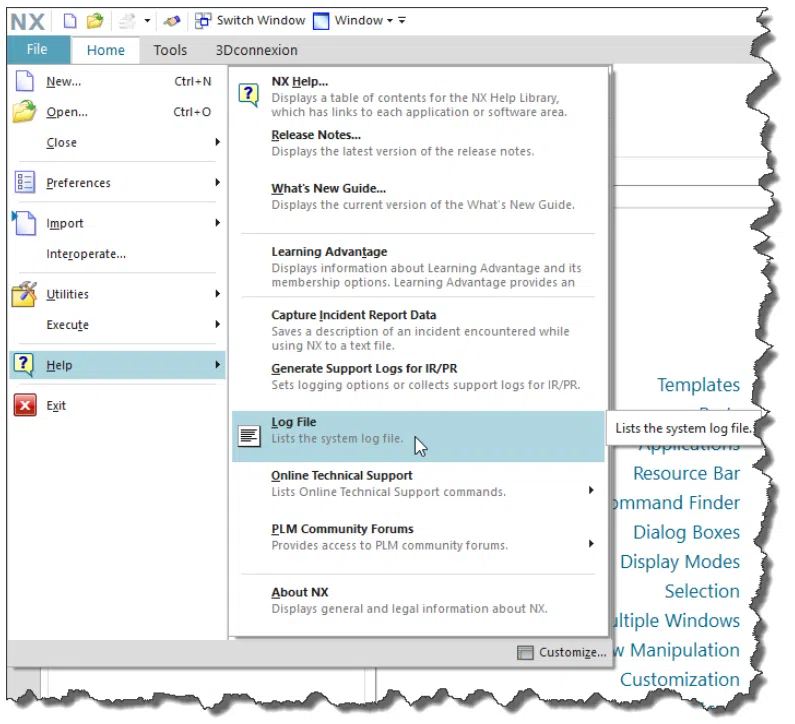
NX Logging Business NX journals everything, basically, into log files from the moment you click the startup icon to the last confirmation to exit. However, there are two different journal logs that you should be familiar with: NX System Log File License Server Debug Log File NX System Log File The NX System Log File [...]
Teamcenter Real Property Names - Quick Tips Teamcenter Administrators are tasked with always trying to make their data model better and easier to use. Some of these tasks include: creating new properties, new Item types, editing Styles Sheets, and mapping properties from a CAD product into Teamcenter. These tasks, at one point or another, involve [...]
How to Drill a Deep Hole from Both Ends in NX CAM While there is no wrong answer, they may be a more efficient answer for drilling a deep hole in NX CAM. In this article, you will look at the process that is about as efficient as is possible. Background on this part: Pilot [...]
Prepping for an NX 12 Update Are you considering updating to NX 12.0.0, NX 12.0.1, or a later version update? Siemens has changed (for the better) the way the newest version (12.0.1) is downloaded. The 12.0.1 version of NX can be a stand alone installation. There is no need to first install NX 12.0 as [...]
Taking the Next STEP in NX This article reviews the processes, options, and potential issues involving translations into and out of NX12 via the STEP format. Overview NX can read and write many different CAD data formats. The methods for importing and exporting data, examining the quality of imported data, and repairing imported data are [...]
Add the NX CAM "Find" Widget to Your Manufacturing Operation Dialogs If you are relatively new to manufacturing, it can be a challenge to find specific options in each of the operation’s dialogs. While this option is not as robust as the command finder, the command finder does not offer any results for the commands [...]
How to Configure Teamcenter Visualization Viewer to Display PDF's In this blog I will show how to configure Teamcenter’s Rich Client Embedded Visualization Viewer to display PDFs. For those of you out there that don’t know, Teamcenter has the ability manage both document and CAD data within the same database. This makes creating, storing, retrieving, [...]
Solid Edge, NX, Teamcenter and the Windows 10 Updates Whether you are using CAD (Solid Edge, NX) or data management (Teamcenter) software, most of us have to interact with Windows as a base operating system. As time passes, many users are now running Windows 10, and if you are not... you soon will be. One [...]
New Axis Control Methods When Using Interpolate Tool Axis in NX 11.0.2 CAM Two new options have been added when you choose a Tool Axis of Interpolate Vector → Linear. You can now define that the tool axis will orient relative to the U or the V direction of the surface. These options allow you [...]
Identifying a Tool and Holder in NX CAM Have you created a new operation only to realize that you don't know the tool number to select from the current step? If you have given your tools a logical name, you can still determine which tool you want to use by viewing the list. If not, [...]
Solid Edge – Draft Title Blocks Solid Edge 2D Drafting offers excellent drawing layout, diagramming, annotation and dimension controls that automatically comply with a wide range of drafting standards, including the International Standards Organization (ISO), American National Standards Institute (ANSI), British Standards Institution (BSI), German Institute for Standardization (DIN), Japanese Industrial Standard (JIS) and Italian [...]
Adding Relationships to Imported Assemblies When working with imported assemblies in Solid Edge, all the components are loaded with Grounded Relationships. This is because the relations between platforms do not translate well. Fortunately Solid Edge has a specialized tool that allows users to apply assembly relationships between parts and subassemblies based on their current geometric [...]
Customize Your Solid Edge Did you know that users have the ability to fully customize their Solid Edge Menus? From adding new groups to your Menu Ribbon, rearranging your icons and changing their sizes. This guide will show how you can make Solid Edge unique. You can begin from an open Part, Sheet Metal, or [...]
Understand the "Master Model" How many times have I used this term without knowing whether my audience understood what that means??? What is it? Model Driven Processes It enables a user to have a single model that’s used for all downstream processes from design, drafting, in-process models, tool & die design to the CNC program. [...]
0